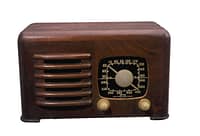
 Radio sure has changed since I was a kid! Back then, listening to the radio usually involved turning a dial to tune in a local AM station, sitting close enough to the radio to hear it (headsets hadn’t been invented yet), and hoping the show or ballgame you were interested in didn’t get drowned out by static interference.
Yep, I’m that old.
With today’s technology, “radio” can easily be used to communicate with friends, colleagues, prospects, customers, and clients. You can promote your products and services, run polls and surveys, offer forums and teleclasses, and even conduct private coaching sessions. These are just a few of the possible applications you can use in your business once you become familiar with Internet “radio.”
I’m not talking about listening to (or advertising on) commercial radio stations that stream their broadcasts over the Internet (so listeners can access the shows on-line through their computer). I’m talking about your business using the Internet to produce your own radio show. It’s free, it’s easy, and it’s a great new way to market your company.
There are many providers who will host and help you with your radio show for a fee, but I’m only going to discuss the free services you can use. Blog Talk Radio (BTR) and TalkShoe (TS) are the two most popular free hosting companies that I’m familiar with. They provide all the infrastructure you need to start producing your own radio show. Blog Talk Radio has been around since August, 2006 and TalkShoe launched its services in June, 2006.
 It’s easy to sign up for a free account at Blog Talk Radio. All you need is a telephone (landline preferred) and you’re ready to schedule your first show.
You don’t need to download any software or have any fancy microphones or recording equipment. Your show can last 15, 30, 45, 60, 90, or 120 minutes and can start anytime from midnight through 5PM, or at 11 or 11:30 PM. That is, until you have 400 listeners. Then you’ll be able to schedule during the otherwise blacked out prime time hours between 5 and 11PM.
If your BTR show is public, then anyone will be able to listen live via the Internet. You’ll be able to have up to five guests or listeners join you live on the air (if you wish) by calling a special phone number. You control exit and entry through a visual dashboard on your PC. You’ll also be able to text chat using your computer.
Your show will be automatically recorded and available for listening on demand after it’s over. The recording will also be available for download and you can post it on your blog or web site. Listeners will also be able to access it via RSS feed or through iTunes.
If you set your show up as private, then only the people who you give out the URL to will be able to listen and/or join. You can do this when you want to schedule personal coaching calls, for example.
 TalkShoe has many similar features and some differences that make it my first choice. In my limited experienced, I’ve also found TalkShoe much easier to work with.
TS does NOT have any scheduling limitations, so you’re able to start your show any time you choose, any minute of the day (not just at certain half hour intervals) even in prime time. You aren’t required to schedule shows in advance, so if something comes up at the last minute you can create a call “on the fly.” You can also use this feature to easily test your set up without having to pre-plan a particular time for doing so.
TS gives you the option to manually control the recording process. You can start and stop the recording (one time) when you wish, making it easy to record only a particular segment of your show.
Another nifty feature of TS is that you can upload other audio recordings you’ve previously made into your TS account, making it easy for folks to access your content all in one place. I’ll probably be switching to TS for all my shows, and it will be nice to be able to add my old BTR episodes to my TS account.
TS provides a simple way for me to send personalized email invitations to upcoming shows. Folks need only to click a link to find my show on the Internet. There are touch tone commands available that supposedly allow me to control the radio show dashboard from a phone in case I need to do a show when I’m not at the computer. I haven’t tried that out yet, but I’m impressed that they thought to offer this capability.
Are you beginning to get a feel for the power and possibilities that could be yours by hosting your own Internet radio show? I’m really excited about the series I’m doing (hope you’ll join me).
Have you thought of an innovative way to use Internet radio to provide or market your services? Let me know by leaving a comment below.
Leave a Reply